


When should businesses use SharePoint for document management?
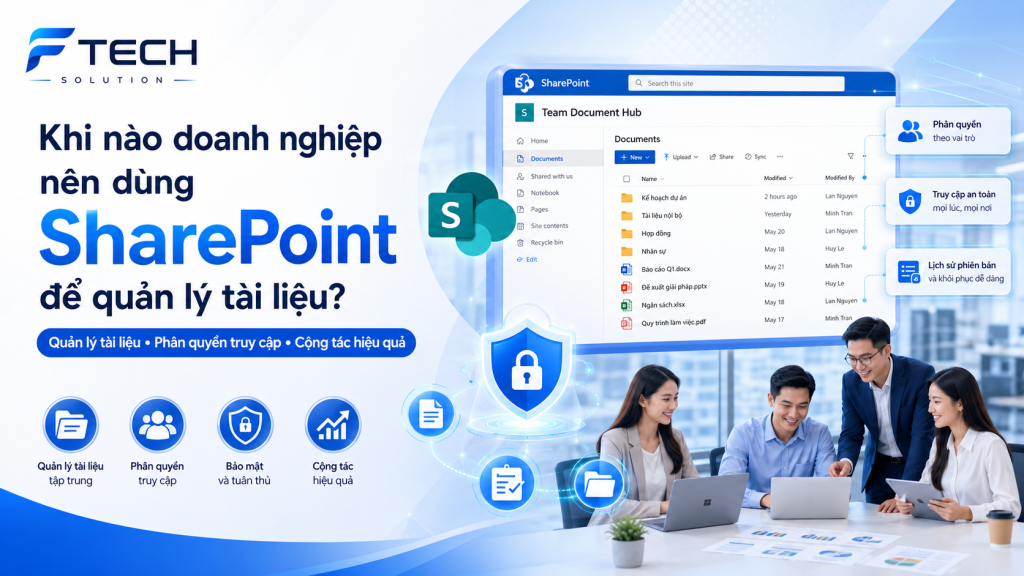
In many businesses, internal documents are often scattered across various locations such as personal computers, emails, USB drives, or shared folders, but without proper organization. As the number of documents increases, searching, sharing, version control, and access control become increasingly difficult.
That's also why more and more businesses are becoming interested in it. SharePoint document management as a suitable solution within the Microsoft 365 ecosystem.
So what is SharePoint? And When should businesses use SharePoint to manage documents??
What is SharePoint?
SharePoint is a Microsoft platform that supports businesses:
- Storing and organizing shared documents
- Build a document library by department or project.
- Grant access permissions based on user roles or groups.
- Support for document collaboration
- Create an internal intranet environment for information sharing.
Simply put, SharePoint is not just a place to store files, but also a platform that helps businesses. Document management becomes more structured, access rights are clearer, and internal collaboration is more convenient..
Why should businesses care about document management?
Documentation is a crucial part of daily operations. From contracts, forms, reports, internal procedures to project documents, everything needs to be stored and managed clearly.
When a business doesn't have a proper document management system, it often encounters situations like:
- It's difficult to find old files.
- There are several different versions of the document.
- It is unclear who has permission to view or edit.
- New employees may have difficulty accessing necessary documents.
- Important documents are scattered in many places.
These issues not only slow down work but also affect the ability to coordinate between departments.
When should businesses use SharePoint?
Here are some scenarios where businesses should consider using SharePoint for document management.
1. When internal documents become increasingly numerous and difficult to manage.
In the early stages, businesses might manage documents using simple folders or sharing files via email. However, as scale increases, the number of documents also increases, and the old management methods are often no longer suitable.
If your business is experiencing problems such as:
- Files are duplicated
- The documents are scattered in many places.
- It takes a long time to find the documents.
- It's difficult to determine the latest version.
This is a clear indication that a more structured document management system is needed.
Why is SharePoint suitable?
SharePoint allows businesses to build centralized document libraryCategorizing files by department, project, document type, or process makes storage and retrieval clearer.
2. When multiple departments need to share documents.
In a business environment, there are many types of documents that don't belong to an individual but need to be shared, for example:
- Contract form
- Project profile
- Internal process
- Marketing documents
- Personnel policy
- Operation form
If these documents are only stored on personal computers or sent back and forth repeatedly, businesses are very likely to encounter synchronization issues.
Why is SharePoint suitable?
SharePoint helps create shared document repository, where departments can access resources according to their assigned permissions. This allows everyone to work on a more unified source of information.s
3. When businesses need clearer access control.
Not all company documents should be shared with everyone. Some documents need to be restricted as follows:
- Departments
- Management level
- Project team
- Specific roles
If a business needs better control over who can view, edit, or manage documents, SharePoint is a very suitable option.
Why is SharePoint suitable?
SharePoint support access authorization By group or user, this helps businesses manage internal data more effectively while ensuring convenient collaboration.
4. When a business wants to reduce the risks associated with using multiple file versions.
A fairly common problem is that the same document has too many versions:
- Final file
- New final file
- Second revised file
- Final file indeed
This makes it difficult for the team to know which version is the correct one to use, especially in documents related to contracts, quotations, plans, or internal procedures.
Why is SharePoint suitable?
SharePoint support document version managementThis helps businesses easily track changes and reduces the risk of using outdated files by mistake.
5. When businesses want to increase collaboration efficiency on documents.
If a business has multiple teams that need to collaborate on or update documents, repeatedly sending files back and forth can be time-consuming and prone to errors.
SharePoint supports more effective collaboration by:
- Centralized document storage
- It helps multiple people access shared documents.
- Seamless integration with Word, Excel, and PowerPoint in Microsoft 365.
- Supports working within the same ecosystem as Teams and OneDrive.
Why is SharePoint suitable?
Businesses can both manage documents better and improve collaboration between departments.
6. When a business wants to build an internal intranet.
In addition to its role in document management, SharePoint can also be used to build internal intranetThis is a space that helps businesses share information such as:
- Internal announcement
- Instructions documents
- Workflow
- Company policy
- Internal news
- Knowledge shared between departments
If businesses want to create a more centralized, easily searchable, and professional information environment, SharePoint is a platform worth considering.
What types of businesses are suitable for SharePoint?
SharePoint is particularly suitable for businesses:
- There are many departments or project teams.
- There is a need for more systematic document management.
- To standardize the location where shared files are stored.
- Clear access control is needed.
- We are currently deploying Microsoft 365 and want to better leverage the ecosystem.
- We want to build an internal intranet in the future.
Whether your business is medium or large, if documents have become an important part of your operations, SharePoint can deliver clear value.
When is it not absolutely necessary to use SharePoint?
Not every business needs to deploy SharePoint immediately on a large scale. If your business currently:
- The number of staff is still small.
- There aren't many shared documents yet.
- I mainly work on personal files.
- Complex access control isn't necessary yet.
Then you can start with simpler needs, such as using OneDrive for personal documents, and gradually build a clearer way to manage your files.
However, if a business is growing or wants to standardize its operations, preparing early with SharePoint will provide long-term benefits.
How should businesses begin implementing SharePoint?
One practical approach is to start with the most obvious needs:
Step 1: Identify the group of documents that need to be managed.
For example:
- Human Resources Department Documents
- Project documents
- Internal form
- Business documents
- Administrative documents
Step 2: Design the document library structure
Businesses can sort by:
- Departments
- Project
- Document type
- Security level
Step 3: Set up access permissions
Identify:
- Who gets to see?
- Who gets edited?
- Who is governed?
Step 4: Provide unified usage instructions to the team.
Training people on how to name files, save them in the right location, and access documents correctly is crucial for SharePoint to be effective.
What value does SharePoint bring to businesses?
When properly implemented, SharePoint can help businesses:
- Clearer document management
- Improve the ability to search for and retrieve information.
- Reduce the risk of losing or using the wrong version of the file.
- Better access control
- Enhancing internal collaboration
- Creating a foundation for intranet and internal information management.
More importantly, SharePoint helps businesses build a way of working. more systematicInstead of having documents scattered and difficult to manage over time.
Conclude
Businesses should use SharePoint when their document management needs go beyond simple storage. If your organization needs:
- A shared document storage location
- Clear document structure
- Grant appropriate access permissions.
- Better version management
- Supporting collaboration between departments
SharePoint is a very worthwhile option to consider within the Microsoft 365 ecosystem.
More than just a file storage tool, SharePoint is a platform that helps businesses build their business step by step. a more professional, secure, and scalable document management environment..