


What are the differences between OneDrive and SharePoint?
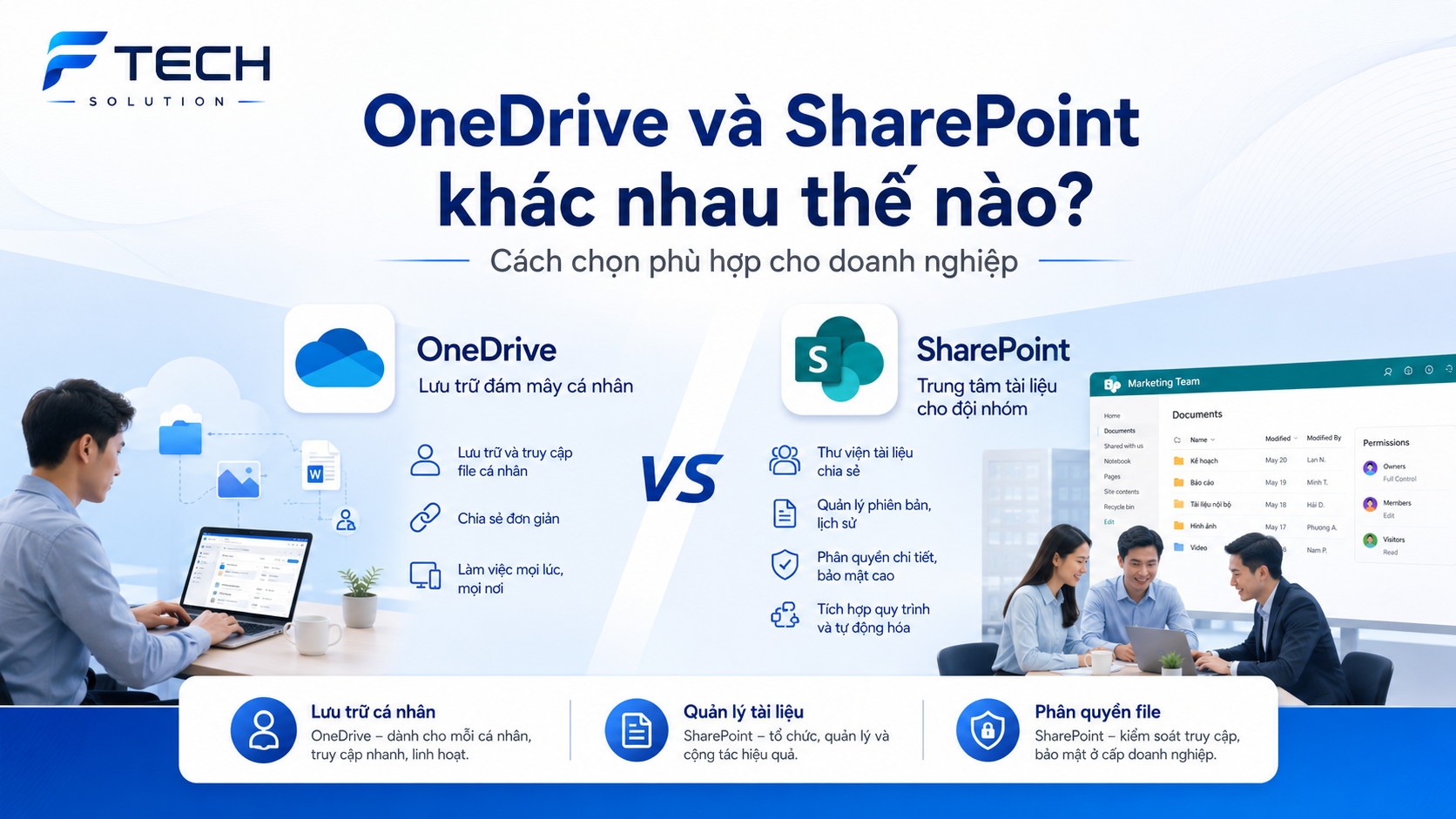
1. Purpose of use
This is the most important difference.
OneDrive
Suitable for:
- Personal documents
- The file is currently working separately.
- The content doesn't need to be shared widely yet.
- These files support the daily work of each employee.
SharePoint
Suitable for:
- Group shared document
- Internal documents by department
- Project profile
- The document needs clear version management and permission settings.
- Internal information library of the enterprise
In short:
- OneDrive inclined personal storage
- SharePoint inclined collective document management
2. How to share and collaborate
Both OneDrive and SharePoint support file sharing, but the usage often differs.
OneDrive
Users can share individual files or folders with colleagues. This is a flexible way to quickly send a working document.
However, if a business uses OneDrive for too many shared files, long-term management may not be truly optimal.
SharePoint
SharePoint is designed to allow teams to access a shared document repository. As a result:
- Members know where the documents are located.
- No need to share each file multiple times.
- Easy to maintain a clear document structure.
- Collaboration is more convenient over the long term.
In conclusion to this section:
OneDrive is suitable for personal or short-term sharing, while SharePoint is better suited for team collaboration and more sustainable document management.
3. Document Management
OneDrive
File management is at the individual level. Users can organize files into their own folders, but the level of organization often depends on the individual.
This is convenient for personal use, but if a business wants to build a unified document system, OneDrive is not the most powerful tool.
SharePoint
SharePoint is stronger in its ability to organize documents by:
- Departments
- Project
- Procedure
- Record type
- User group
Additionally, businesses can standardize folder naming conventions, manage document versions, and build a clearer storage structure.
In conclusion to this section:
If the goal is business document management, SharePoint phù hợp hơn.
4. File permissions and access control
OneDrive
OneDrive supports file sharing and allows viewing or editing permissions. However, control typically revolves around documents owned by the individual.
If employees leave or change positions, businesses may need to review their handover procedures or access control systems.
SharePoint
SharePoint is more suitable if the business needs:
- Decentralize authority by group
- Departmental permission management
- Internal document area control
- Restrict who can view, edit, and manage content.
This is a crucial factor for businesses looking to enhance security and build an organized document system.
In conclusion to this section:
If the business needs it Clear file permissions and better management.SharePoint is a more suitable option.
4. File permissions and access control
OneDrive role
OneDrive should be viewed as each employee's personal workspace. It's the ideal place to:
- Create personal files
- Save the document in progress.
- Access your personal work from multiple devices.
- Synchronizing personal data is more secure.
SharePoint roles
SharePoint should be a place to store and manage valuable documents that are shared by a team or organization. For example:
- Contract form
- Project documents
- Internal process
- Department records
- This document requires multiple people to follow along.
Simple understanding:
- OneDrive is personal space
- SharePoint is organization's shared document space
When should you use OneDrive?
Businesses should use OneDrive when:
- Employees need to save personal files.
- Documents need to be synchronized between laptop, desktop, and phone.
- I need to quickly share some files with a colleague.
- We want each employee to have their own workspace on the cloud.
OneDrive is well-suited to support the daily work of individuals, especially in flexible or hybrid work environments.
When should you use SharePoint?
Businesses should use SharePoint when:
- Documents need to be managed by group, department, or project.
- We want to standardize how files are stored.
- Clear access control is needed.
- I want to build an internal document library.
- Collaboration on shared documents is needed over the long term.
SharePoint is particularly well-suited for businesses looking to upgrade their document management to a more professional level.
Should businesses use both OneDrive and SharePoint?
The answer is Have, and this is also the most effective way to use it in many cases.
Instead of choosing one or the other, businesses can combine them:
- OneDrive for personal documents and files being processed
- SharePoint for shared and official archiving of documents by a group or organization.
This combination provides businesses with flexibility for individuals while ensuring organizational structure and document management capabilities.
An easy-to-understand example.
Imagine a salesperson is preparing a price quote for a customer:
- The initial draft can be saved in OneDrive
- When a document needs to be shared with a team leader or relevant department, it can be transferred to or saved in... SharePoint
- The company's standard quotation templates should be saved on SharePoint for everyone to use consistently
This allows businesses to maintain flexibility for individuals while ensuring important documents are managed in the right place.
How should a business begin?
Some practical suggestions include:
- Clearly define which documents are stored on OneDrive and which are stored on SharePoint.
- Build a document library structure by department or project on SharePoint.
- Instructions for employees on using OneDrive for personal work.
- Set appropriate access permissions to enhance security and ease of management.
When usage methods are standardized from the outset, businesses save more time during the expansion and operational phases.
Conclude
OneDrive and SharePoint are both very useful tools in Microsoft 365, but they serve different purposes. two different purposes.
- OneDrive suitable for Personal storage and flexible working
- SharePoint suitable for Managing shared documents, team collaboration, and clear access control.
If businesses understand the role of each platform and use them correctly, file management will be more efficient, professional, and better prepared for the digital work environment.
Contact F-Tech to choose the right file management solution for your business.